When a searcher or internet user enters some keywords or a question in the search box of a search engine such as Google.com, the highest ranking titles/headings and URLs that are relevant to such queries tend to show up above other related content on the first page of Google search results. This is the desire of every online publisher — to have their content ranked high on Google search.
What is a search ranking?
The process by which your website content or blog posts and URLs appear on the first page of a search engine results page (SERP) is basically a search ranking or search engine ranking.
QuestionsEveryday.com suggests the following steps to ensure a high search ranking for your website or blog:
1. Before your site can have a high ranking on Google, for instance, your website and its content must be first found by Google; this translates to the indexing of your web or blog posts. The most common way to find out if your posts are indexing is by entering site: yourblog.com in your web browser.
Meanwhile, if your website is new, its content may not index immediately because Google has to look for them first, this process is known as crawling. It often takes some time for Google bots to crawl a new website for its posts and pages.
However, you can help Google to crawl your website faster by:
Submitting a sitemap
The best and easiest way to submit your sitemap is to buy web hosting from a hosting provider, such as Hostinger, which saves you the stress of having to submit a sitemap from time to time by automatically submitting a sitemap on your behalf.
Optimizing your website for search engines
Search Engine Optimization (SEO) will help Google bots to crawl your website faster and also ensure a more efficient indexing of your website or blog. Yoast SEO, Rankmath SEO and All in One SEO (AIOSEO) are some of the popular SEO tools in the industry.
Connecting your website to Google Search Console
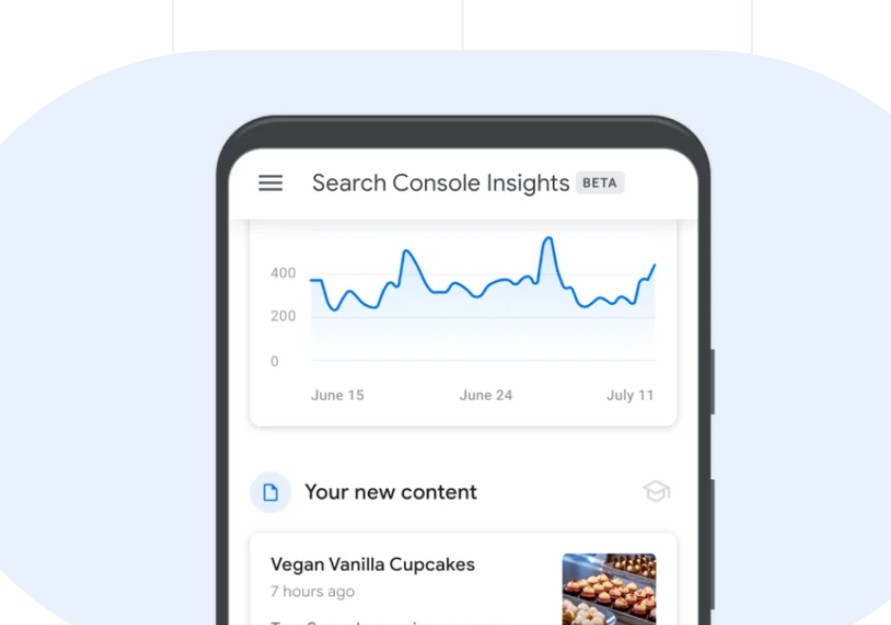
Google Search Console — which is available as a plugin — verifies websites, identifies and notifies you about technical issues that affect your site’s performance or hinder your website content from indexing. Connecting your website to Google Search Console definitely encourages Google to index your website.
Optimizing your website’s URL structure
Websites with clear page names, well structured and secure URL paths such as https://your blog.com/news/politics/election-campaigns tend to be easier to crawl by Google than sites that use URL parameters in the following format http://yourblog.com/news/page2/id=2538?
What is E-E-A-T? How does E-E-A-T relate to backlinks?
2. Another step that QuestionsEveryday.com recommends, to ensure your website’s high search ranking on Google, is for online publishers to show E-E-A-T in connection with their websites. E-E-A-T stands for Experience, Expertise, Authoritativeness and Trustworthiness; it is sometimes written as E-A-T (with the ‘E’ representing Expertise).
Expertise
Website owners or online publishers must create relevant and unique content that provides real value to readers or site visitors. Clickbait headings and spamming are unnecessary while high-quality images that are related to the content should be used.
Authoritativeness
Building high-quality backlinks from reputable websites, to your website content helps to establish your website’s authority. As an online publisher, you may connect with other bloggers or experts in your industry, to the purpose of exchanging quality links.
Trustworthiness
You can boost your website’s trustworthiness by ensuring that your site is verified on Google Search Console. Then, always try to provide transparency with your website information, pages and authors.
READ ALSO: How do I get my website to be mentioned in Google’s AI Overview?
3. The third step which EverydayQuestions.com suggests that website owners take to boost your site’s Google search ranking, is to ensure a good user experience for site visitors and subscribers.
How do I ensure a good user experience for my site or app?
Mobile-friendly website design
Website owners and bloggers should always assume that searchers, who eventually become regular site visitors, always do so from their mobile devices. Therefore, websites must be optimized for mobile devices using a responsive design.
Easy website navigation
Google favours comprehensive link navigation within websites. Moreover, site visitors love high-quality and visually appealing content about trending or high interest topics. Therefore, online publishers must use clear headings and subheadings, with relevant keywords in posts and pages. When website content is found shareable by visitors, more people get to know about your website.
Fast website speed
Website owners should ensure faster page loading speed by optimizing their site for mobile devices. Similarly, image file sizes should be optimized for faster loading; the max-image-preview:large setting may be enabled for large images that are at least 1200px wide.
Source:
Google. https://www.google.com